Are you encountering token acceptance issues after changing or replacing an AD FS certificate? Fear not, for we’ve curated a step-by-step guide to navigate through this perplexing ordeal. Here’s how to decode those cryptic errors and restore seamless functionality to your AD FS program
Symptoms:
- The program refuses to accept tokens issued by AD FS post-certificate alteration.
- You’re bombarded with cryptic errors like Event ID 316, 315, 317, 133, 385, 381, 102, and 387, cluttering your AD FS event log.
Resolution Steps:
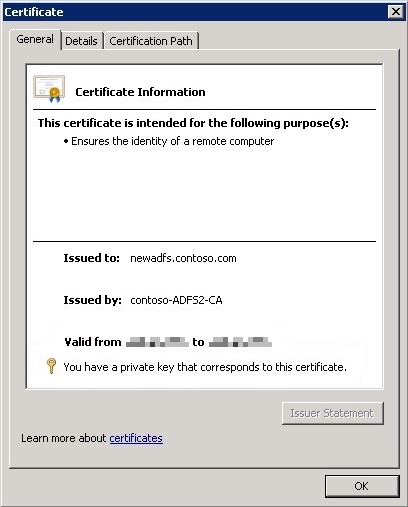
Step 1: Verify Private Keys: Ensure all AD FS certificates boast valid private keys within their designated validity periods.
Step 2: No CNG Keys Allowed:Certificates wielding Cryptographic Next Generation (CNG) private keys spell trouble for token signing and decryption. Verify if your certificates are CNG-free.
Step 3: SSL Binding Sanity Check:Confirm that your service communication certificates are securely bound to port 443 in IIS
Step 4: Certificate Trustworthiness Assessment:Evaluate the validity, trustworthiness, and successful revocation check of your service communication certificates.
Step 5: Service Account Permission Audit:Grant your ADFS service account the requisite read permissions for AD FS certificate private keys.
Step 6: AutoCertificateRollover Review:Enable AutoCertificateRollover to ensure seamless certificate renewal and prevent expiration-induced chaos.
Step 7: Subject Alternative Name Inclusion:Add your federation service name to the certificate’s Subject Alternative Name (SAN) attribute.
Step 8: Service Account Permissions Redux:Double-check and fix service account permissions for the certificate sharing container.
Step 9: Claims Providers and Relying Parties Update:Ensure claims providers and relying parties are updated with new certificates to maintain trust with AD FS.
Step 10: Inspection of Signed Requests and Responses:Thoroughly scrutinize signed requests and responses from claims providers or relying parties, ensuring certificate validity.
By meticulously following these ten steps, you’ll emerge victorious in your battle against AD FS certificate woes. Remember, resilience is key in the realm of technology troubleshooting.
For further detailed article click on below button.


 Tech Tales
Leave a comment